Mahjong with Friends
Casual Hong Kong Mahjong for friends and family. Invite-only on iPhone.
Get started
Play at your own pace
Classic tiles, with a little help
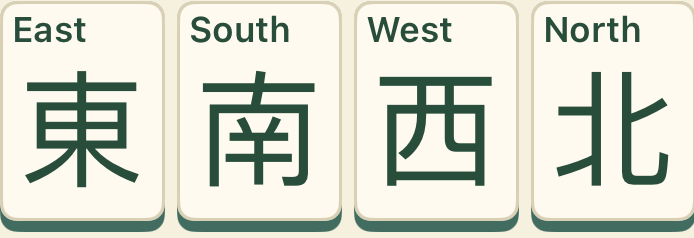
Classic + English adds labels to tiles with Chinese characters. To change your theme, open Options at the table, then choose under Tile faces.
Join the iPhone beta
The friends and family beta is by invitation. Ask the person who invited you if you’re missing your TestFlight email or table code.
Get TestFlight from Apple- Open your TestFlight invitation. On your iPhone, open the email invitation and follow it into TestFlight.
- Install the app from your invitation. Tap Install in TestFlight, then open the game.
- Take a seat. On Home, find Play with friends and choose Connect as guest if prompted. Choose Join table, paste your invitation code or link, add a display name, and join. To practice first, choose Play solo.
Link your account to your email to recover your tables and seat on another iPhone.